



For those who don’t know the tool: Live FX by Assimilate is a real-time compositing and playback mediaserver for LED volumes, virtual production, and camera tracking setups. It sits alongside Assimilate’s tools Scratch and Play Pro Studio and connects easily with Unreal Engine for real-time output. You’ll find it in the same part of the pipeline where mediaservers, camera tracking, and LED walls meet, between VFX, lighting, and on-set supervision. More on Live FX is in the works, there is a big story about it in the very near future!
Multi-Display Output: Big Walls Made Easy
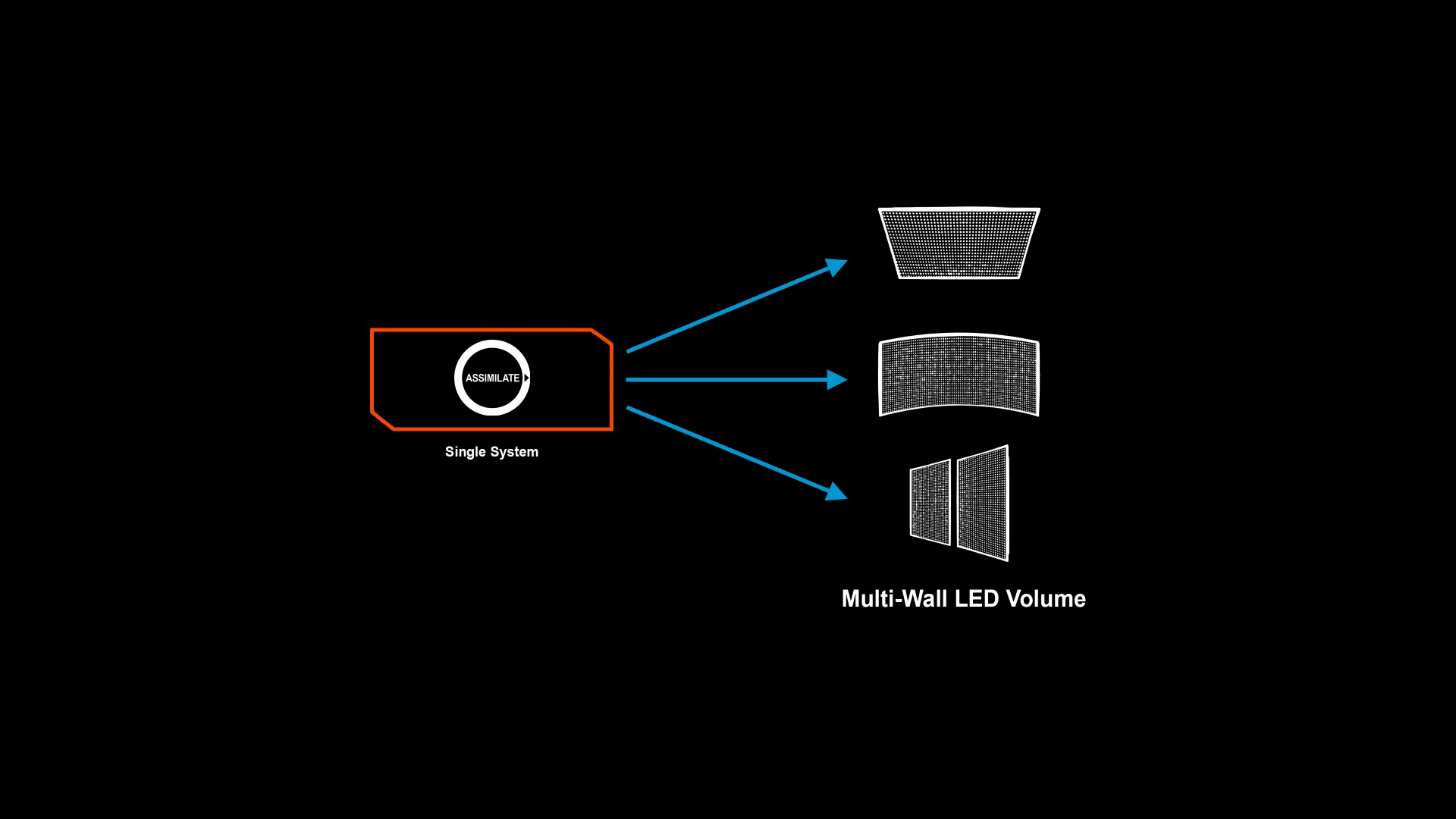
Version 9.9 lets users drive as many GPU outputs as their hardware (and budget) can handle, with the option to switch any output into HDR mode. Native Quadro Sync (Pretty much the only tech where Nvidia still calls it Quadro) support now keeps multi-display and multi-node setups in perfect frame alignment. A typical use case is a virtual production stage needing six LED processors across two GPUs. This makes HDR workflows and non-standard screen layouts much more manageable (Also looking towards our colleagues in the Live Event space).
Stage Manager Gets Hands-On
The Stage Manager has received a serious overhaul. Entire stages, including their 3D meshes, can now be imported and exported, making it easier to share, test, archive or replicate setups across multiple systems. The new Mapper tab allows artists to segment and rotate individual screens, or even rotate full display outputs. For preparation off stage, virtual displays can be created and later swapped with physical outputs. No panic at the brain bar!
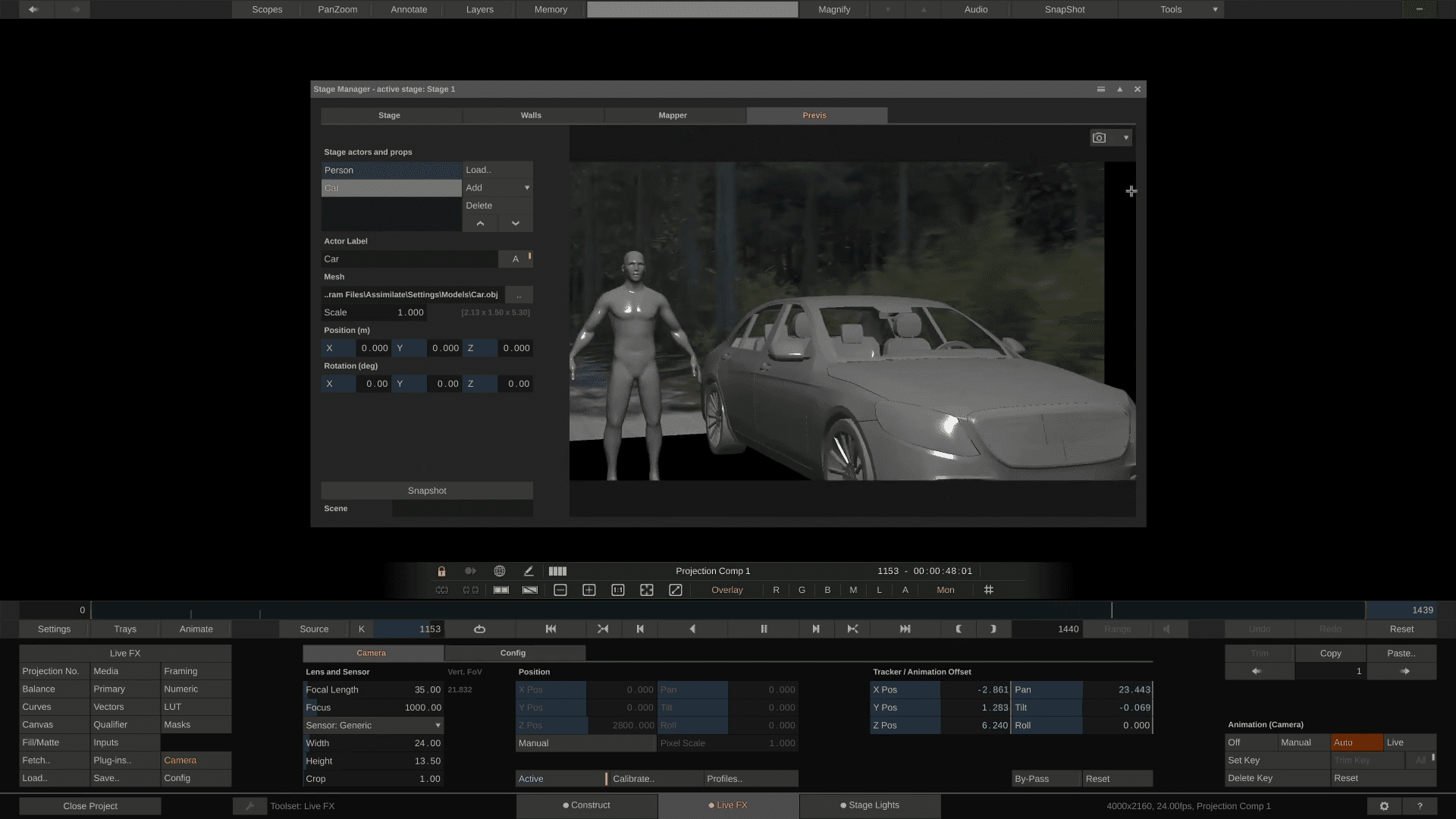
A new Previs tab allows users to drop in placeholders such as actors, cars, or props, then capture storyboard snapshots for pre-shoot planning. On a practical level, this makes it easier to block out a scene and share spatial layouts before the physical stage is lit, and you can catch mistakes before there is an audience.
Multi-Node Workflow: Scaling Without Pain
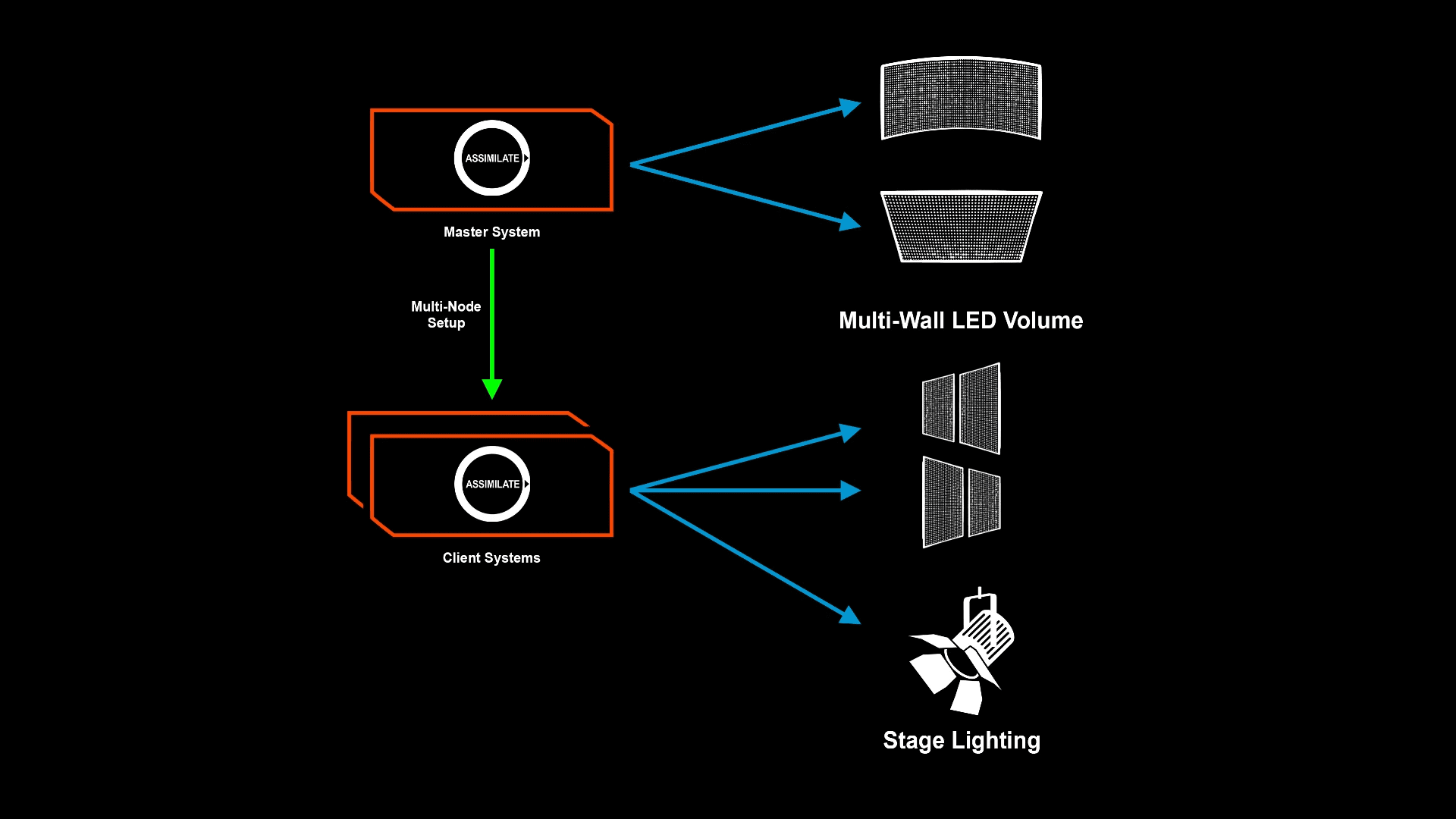
Live FX 9.9 introduces true multi-node operation, enabling several Live FX systems to run in sync to drive very large LED volumes.
Three sync modes (Player, Project and Session) control how tightly playback and settings are aligned between systems. A “Moderator” role can be assigned to any system, so one operator takes charge of colour, compositing and Live Link control from any node. For instance, a production could run one node as the main playback system, another to manage colour and lighting, and a third to handle Unreal Engine integration, all coordinated in real time.
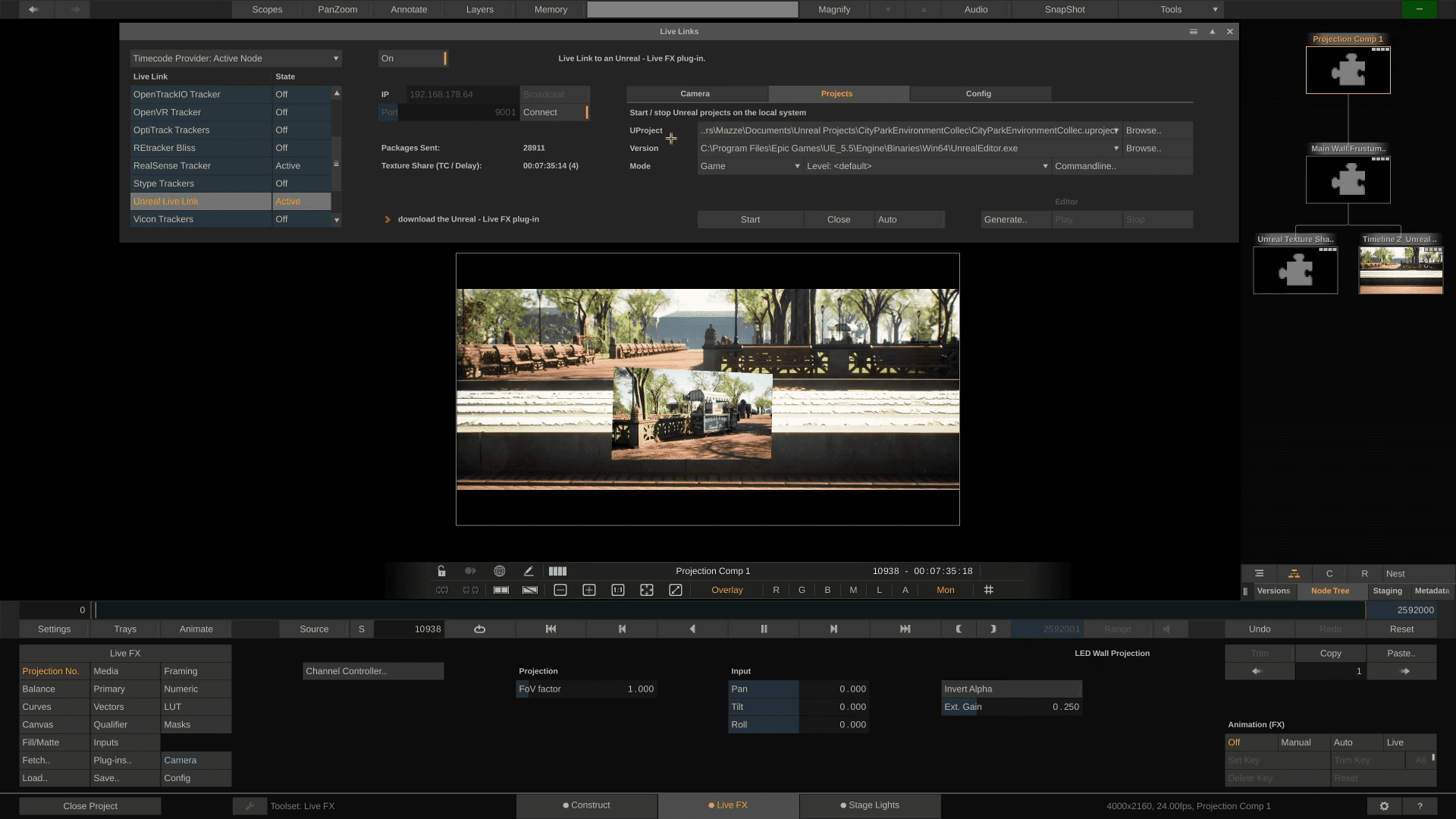
Unreal Engine Workflow: More Control, Less Alt-Tab
Unreal Engine integration has been tightened. Live FX can now start and stop Unreal projects directly from inside the Live FX UI, whether in Editor, Game or nDisplay mode. The UE camera can be moved from within Live FX, with position bookmarks allowing instant jumps between setups (Think: Different scenes). The updated Live Link plugin simplifies connection setup and can automatically generate nDisplay configurations from exported Live FX stages. In practice, this means that a stage operator can adjust a virtual camera position or trigger a scene change without touching Unreal, which is ideal during fast-paced shooting days.
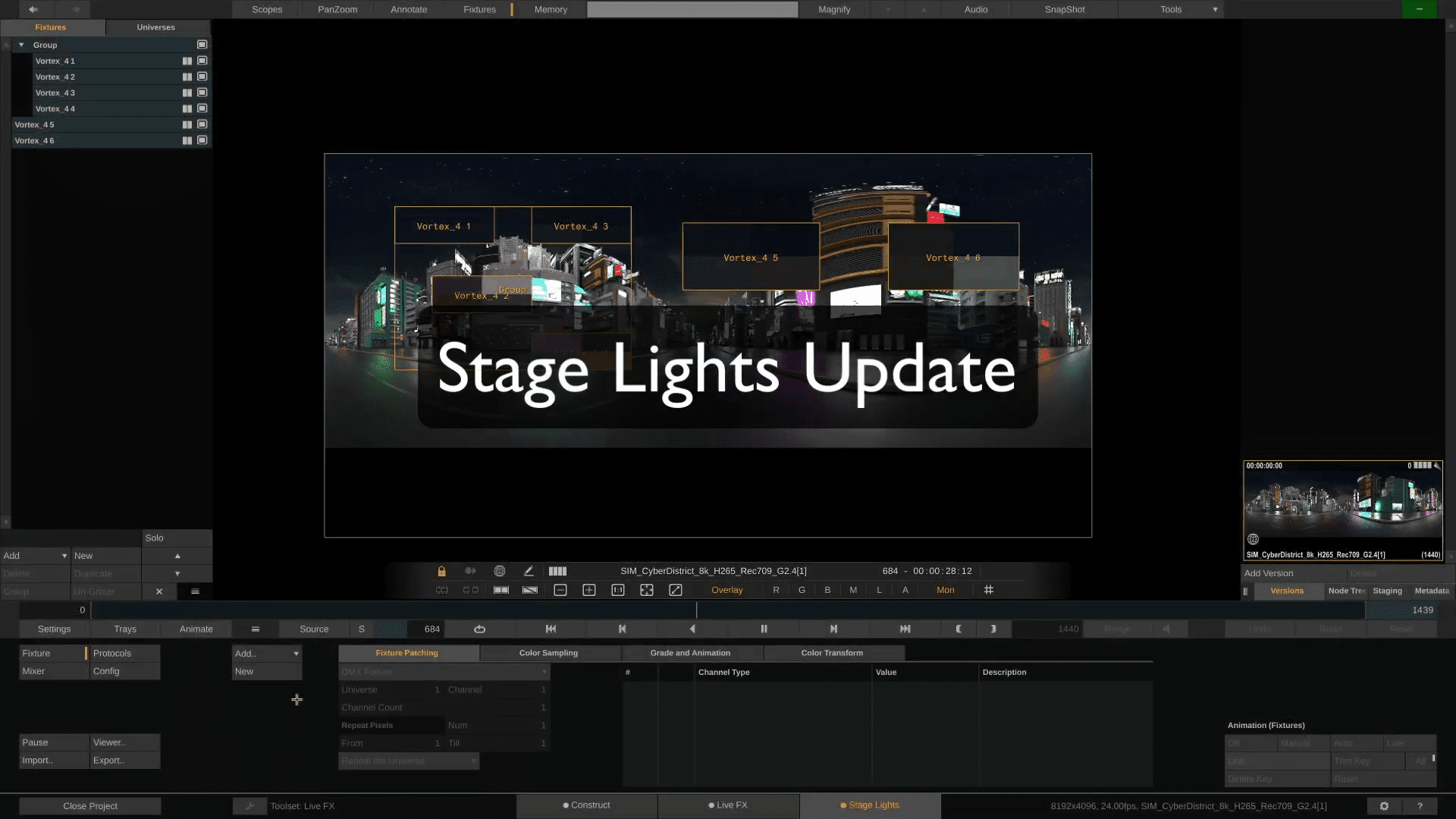
Stage Lights Update: Lighting That Plays Along
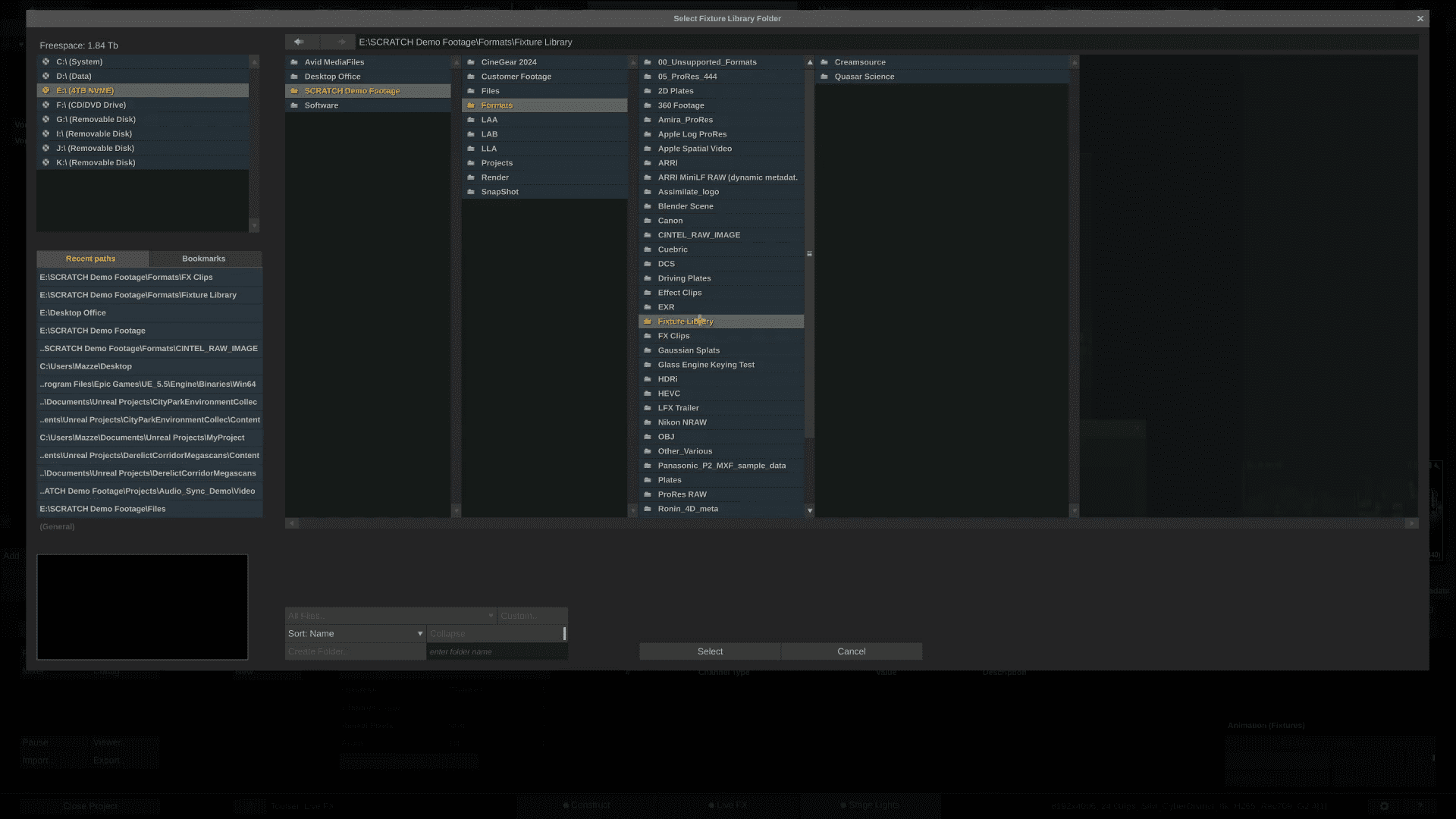
A new Fixture Library supports user-created entries using GDTF or FDMX templates. Multiple fixtures can be created and auto-patched in a single step. The viewport now allows snapping, lasso-selection and group resizing, making it easier to handle complex light grids. This feature comes in handy for stages using hybrid lighting rigs where both physical and virtual lights must be matched. Just be careful the collection tick doesn’t turn into “I have to have all the lights!”.
General Upgrades and Under-the-Hood Additions
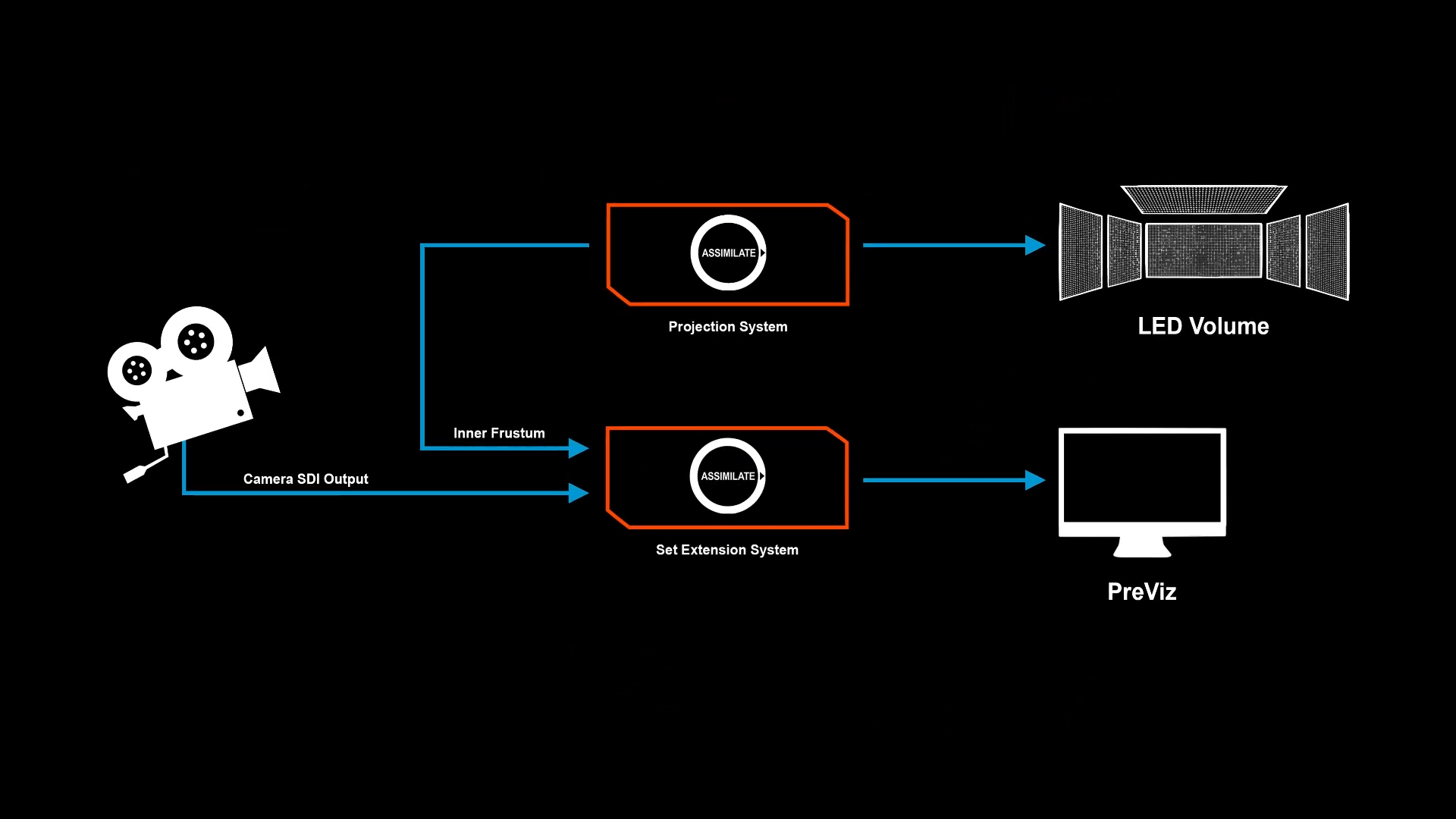
The 9.9 release adds OpenTrackIO support for both receiving and transmitting tracking data, bridging camera and object tracking systems in mixed setups. HAP codec import and export has been added and includes the 16-bit HDR variant, useful for playback of high-quality plates. A new Direct-to-Wall mode simplifies simple image placement on LED panels (Choose your own screensaver-testimage, or use this one), and planar and frustum projection modes gain feathered edges for cleaner blends. Integration with MRMC’s FLAIR now allows Live FX to import pre-programmed camera motion paths and sync them with virtual shots, saving time when combining motion-control robotics and virtual environments.
In Summary
Live FX 9.9 focuses on scalability and control, offering more displays, more nodes, tighter Unreal integration and smoother stage workflows. For productions expanding their LED volumes or adding Unreal-driven environments, this version removes several long-standing pain points in multi-system operation. Get an overview in the Documentation HERE.
As always, test all new features thoroughly before deploying them in live productions, especially when syncing multiple systems or hardware outputs.
